 Matt の 小天地
深入研究 eck-stack 的監控與運維
深入研究 eck-stack 的監控與運維
TL;DR
- Datadog 在蒐集 eck-stack metrics 的坑
- 一些運維紀錄
- Datadog ElasticSearch Integration
- Elasticsearch Metrics
背景
公司 RD 使用 eck-stack 作為某個功能服務的 DB
因此除了服務的架設,同研究了一下 ES 這個服務,該怎麼監控比較好
❗ 另外需要特別注意的是 eck-stack 是一套 Operator-base 的工具
❗ 使用上,可能需要評估是否有足夠的運維技術量能
Architecture
eck-stack 的 cluster 在 node 分成不同功能,分別是
- Master(
master): 會選出 Leader 來管理 cluster - Data: 包含 (
data,data_content,data_hot,data_warm,data_cold,data_frozen) 提供不同功能的資料儲存 - Ingest(
ingest): 用於資料 pipeline 的處理 - Remote_cluster_client(
remote_cluster_client): 似乎可以用於橋接不同 eck-cluster - Machine learning(
ml): 主要用於 ML - Transform node (
transform): 對現有的 indices data 做資料轉換
服務監控
基於對 ElasticSearch 的了解 Java base, Query & Response
在 Metrics 的蒐集規劃上,應該會需要針對 JVM, Query Latency 來評估目前的服務性能與狀態
✅ CPU/JVM
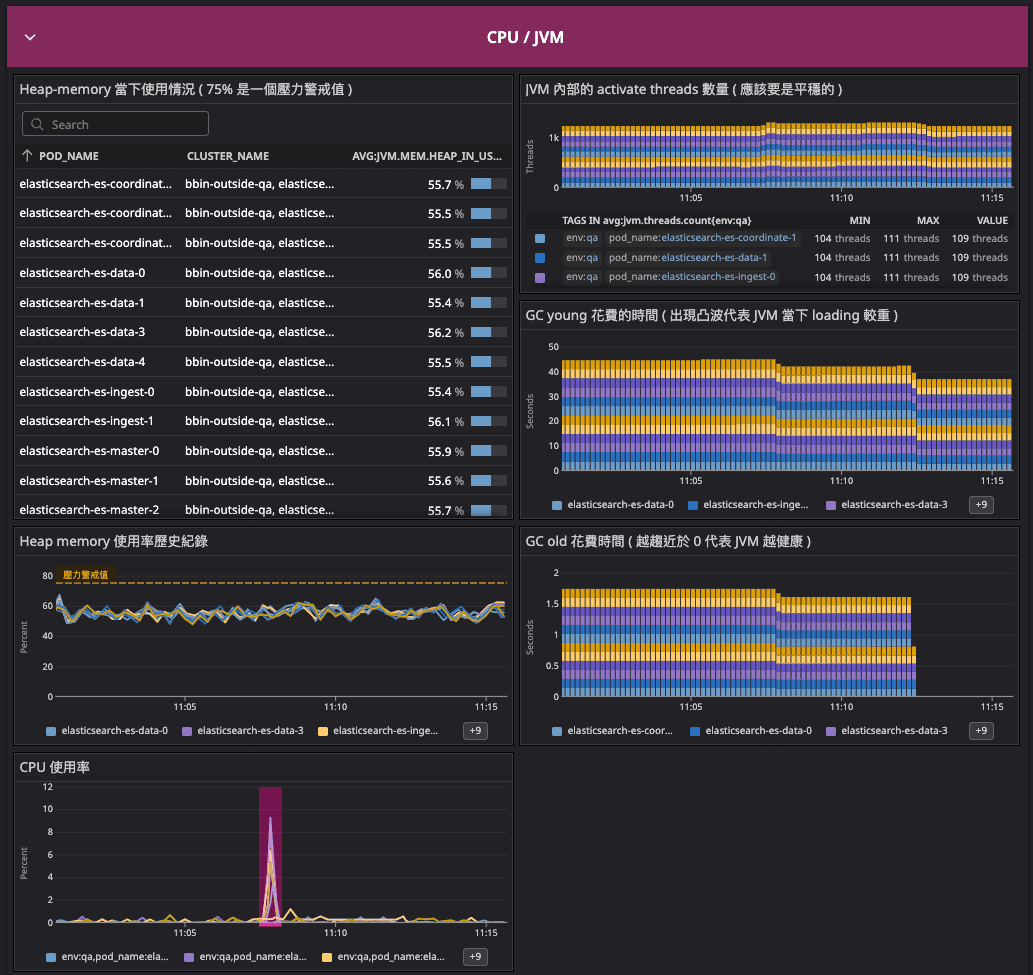
| Name | Metrics | Description | monitoring point |
|---|---|---|---|
| Heap Memory | jvm.mem.heap_in_use | JVM 監控重點 | |
| CPU usage | elasticsearch.process.cpu.percent | ECK 本身暴露的 CPU metrics | |
| thread count | jvm.threads.count | ES 內當前的 thread 數量 | |
| GC young | jvm.gc.collectors.young.collection_time | JVM 的 young GC | 越平穩越好 |
| GC old | jvm.gc.collectors.old.collection_time | JVM 的 young GC | 應該趨近於 0 |
✅ APM
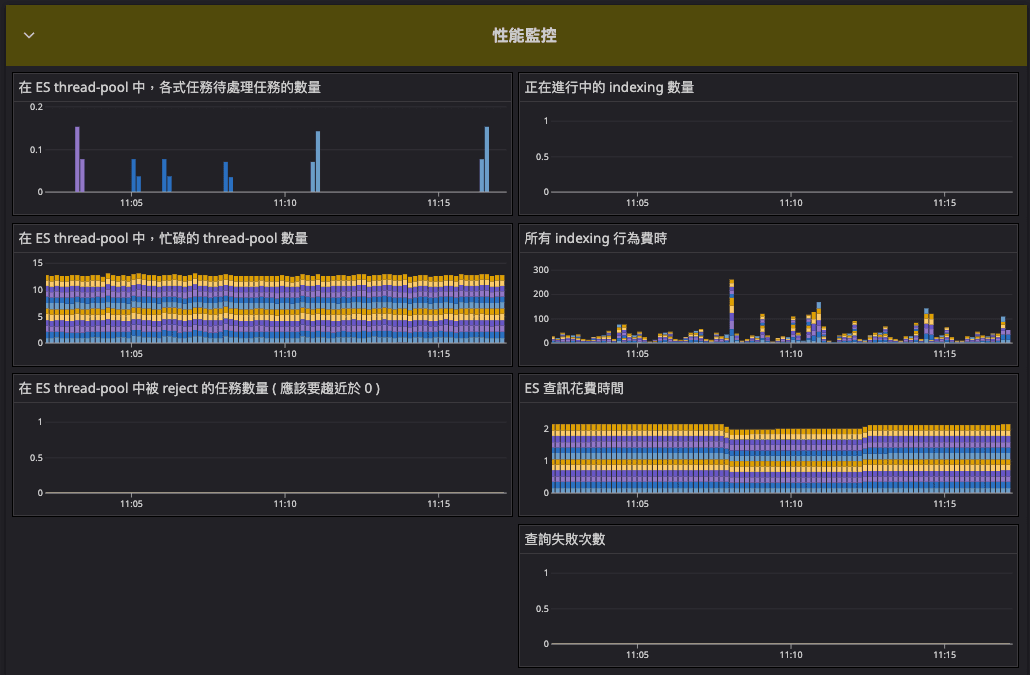
| Name | Metrics | Description | monitoring point |
|---|---|---|---|
| task queue | elasticsearch.thread_pool.*.queue | ES 各式任務 queue 狀態 | |
| task active | elasticsearch.thread_pool.*.active | ES 運作的 thread | |
| task reject | elasticsearch.thread_pool.*.rejected | ES 被拒絕的任務數量 | |
| query time | elasticsearch.search.query.time | ES 在 query 花費的時間 | |
| breaker tripped | elasticsearch.breakers.fielddata.tripped | 查詢失敗次數 | |
| indexing current | elasticsearch.indexing.index.current | 正在處理的 index 數量 | |
| indexing time count | elasticsearch.indexing.index.time.count | indexing 費時 |
✅ Cluster Info
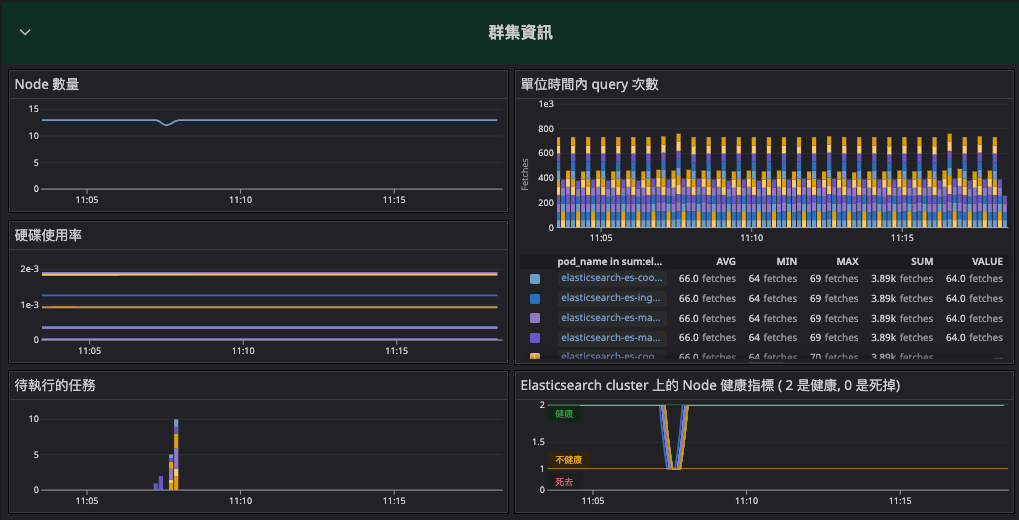
| Name | Metrics | Description | monitoring point |
|---|---|---|---|
| Node count | elasticsearch.number_of_nodes | ES Cluster Node 數量 | |
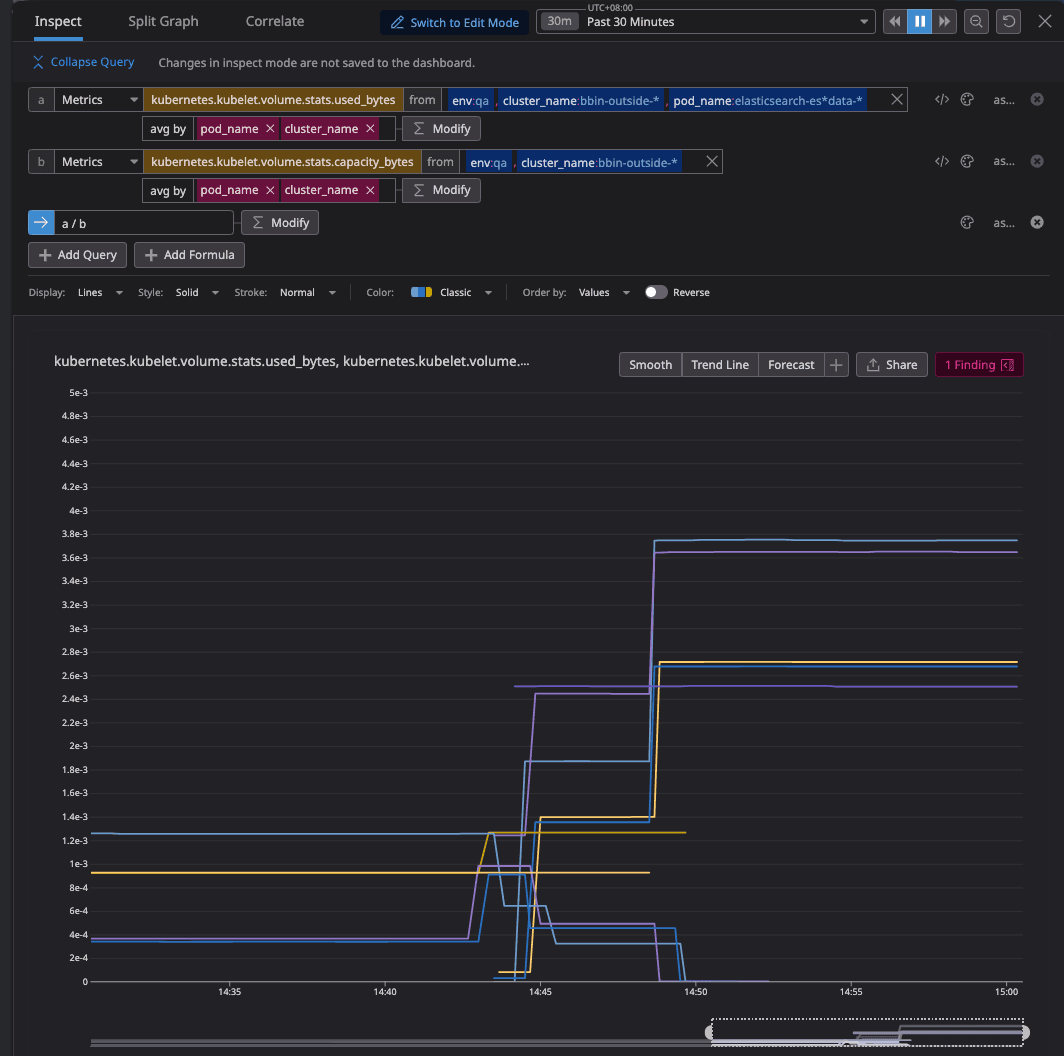
| (a)硬碟已使用空間 | kubernetes.kubelet.volume.stats.used_bytes | ||
| (b)硬碟可用空間 | kubernetes.kubelet.volume.stats.capacity_bytes | ||
| 硬碟使用率 | (a) / (b) | 透過 Func 計算取得 | |
| task pending | elasticsearch.pending_tasks_total | 待執行的任務 | |
| search count | elasticsearch.search.fetch.total.count | 單位時間內 search 次數 | |
| Node 狀態 | elasticsearch.cluster_status |
服務運維
❗ hot-spot
畢竟資料是以 index 配合 sharding 的方式儲存
會需要額外留心,有機會出現 資料熱點 造成的單一 Data-node 壓力
❗ JVM config
在做資源調整時候,有注意到調整 Master Node 的 JVM config 也會連帶影響其他 Node 的 JVM 使用率
❗ 資料
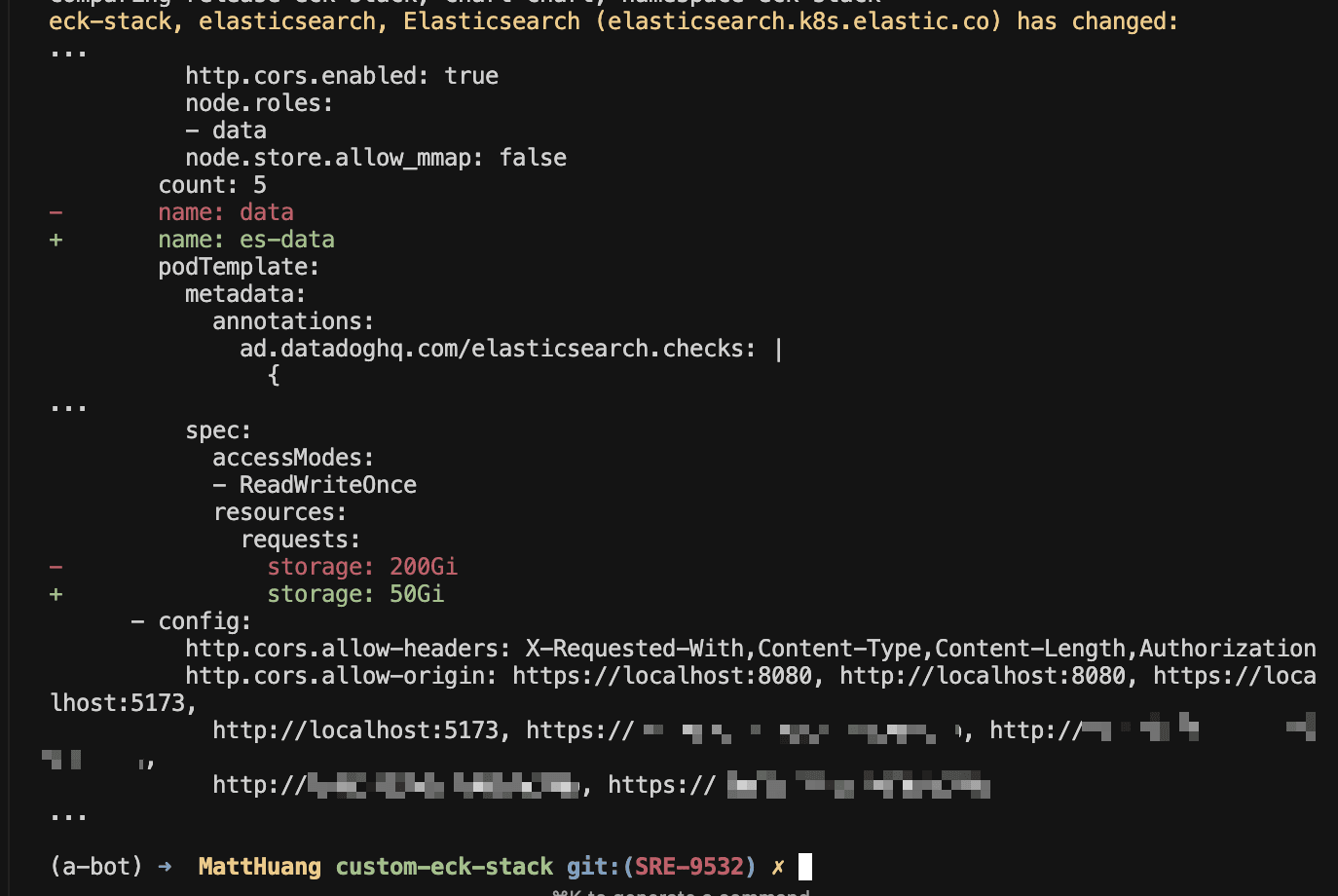
👉 Disk-Resize reference-link eck-stack 的 ElasticSearch Cluster 如果要 resize 硬碟大小需要
- 設置對應 node 群集的硬碟資源
- 重新對該 node 群集命名
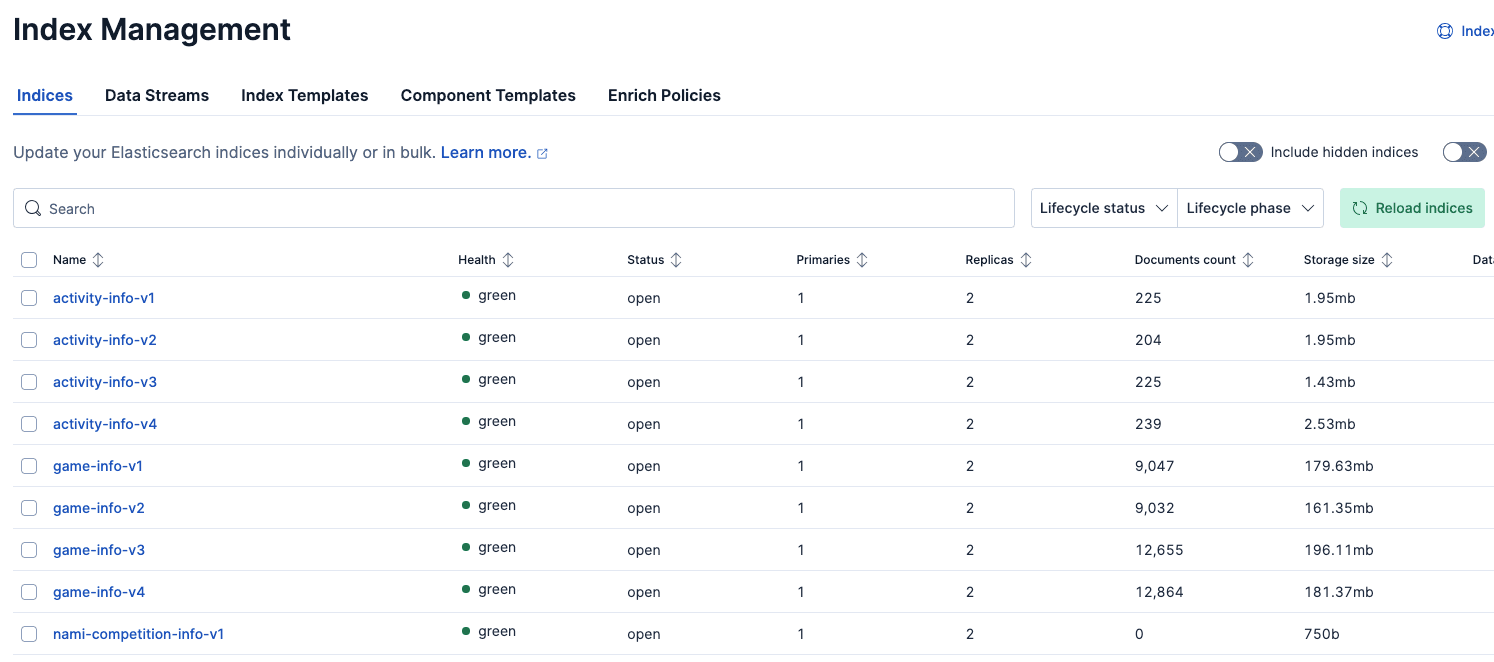
為了確保儲存的資料正常,可以到 Kibana >> Stack Management >> Index Management 來看當下資料的 Indices 情況
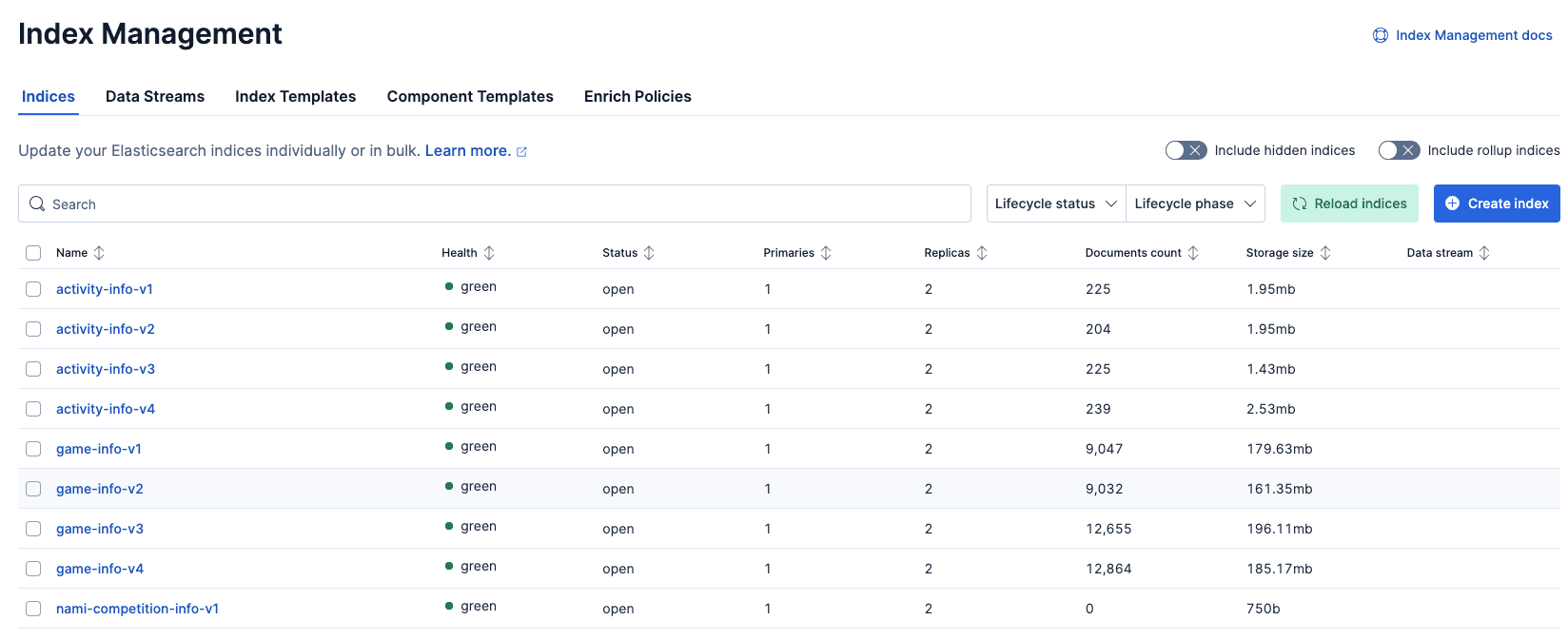 對 data node 硬碟 resize
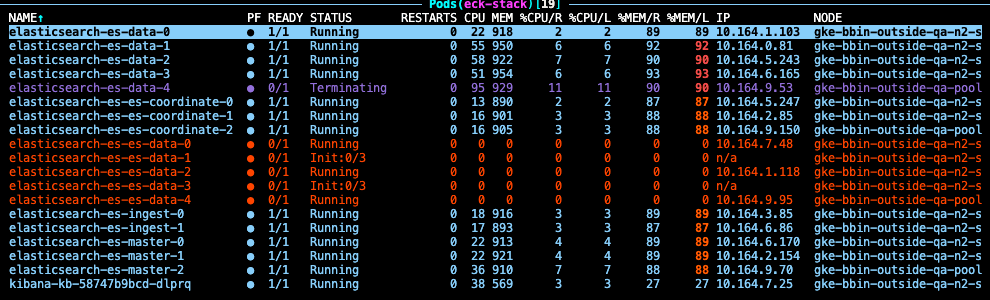
 從監控可以看到使用率確實提升
 Indices 狀態也都是健康的
❓ 踩坑與問題排查
使用 Datadog integration 來蒐集 metrics 卻發現在 Dashboard 找不到?
ElasticSearch expose 出來的 metrics 中包含了 cluster_name 這個 tag
並賦予 elasticsearch 這個值,碰巧撞名了
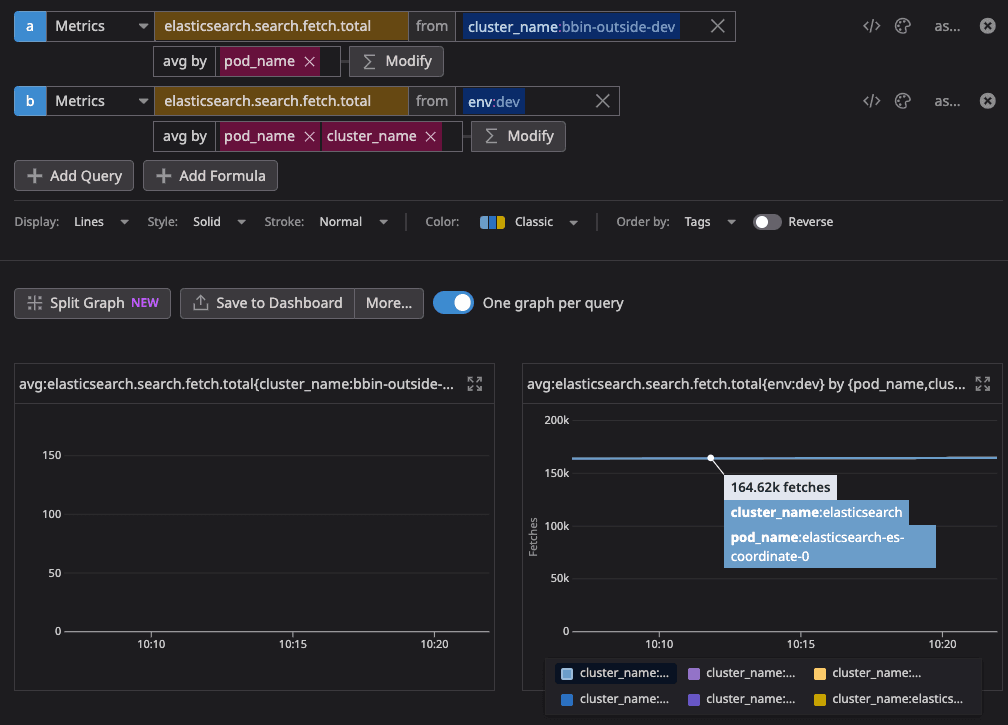 對此, Datadog intergration-core 有提到相關說明
但實測結果為
對此, Datadog intergration-core 有提到相關說明
但實測結果為 metrics 全部消失

因此暫時額外打上 cluster_name 的 tag 使其可以被搜尋
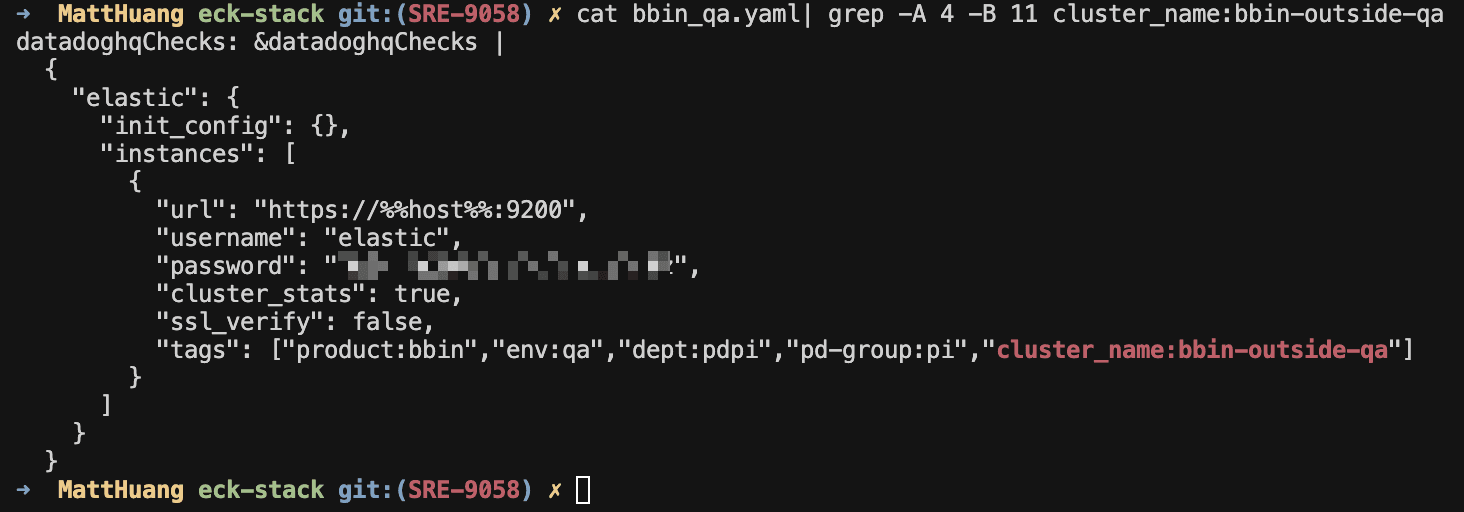
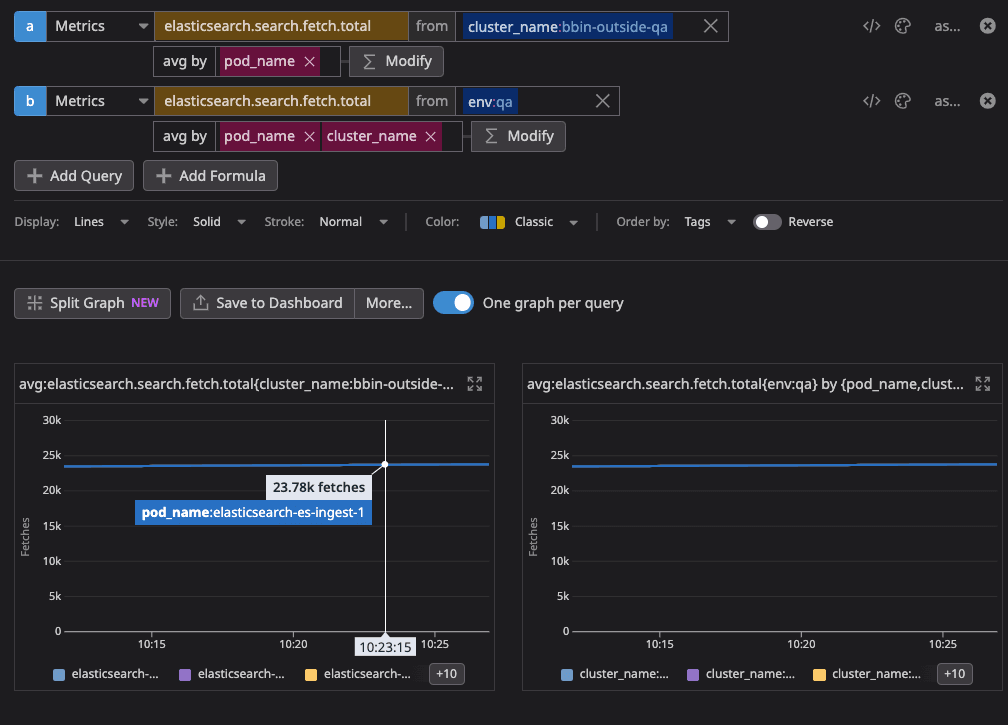
排查過程紀錄
單純的一些 log,保留紀錄部分查詢資料與當時測試的手法 實際問題,已與下列無關
curl -k -u elastic:xxx https://elasticsearch-es-http.eck-stack.svc:9200/_nodes/stats/jvm,os,indicesElasticsearch 的底層是用 Java 建構 故還是會有 JVM Heap_memory 等相關問題 故,在 monitoring 上主觀認為下列 metrics 是必要的
- fetch.total
- jvm
- latency
由 fetch.total 可以知道當下 query 的需求量 同步確認 jvm 的 heap_memory 對於 query 的變化 並觀察 query 是否有產生 latency 來確認服務運行的情況
首先
一開始進到服務下 agent check elastic 找不到相關 metrics
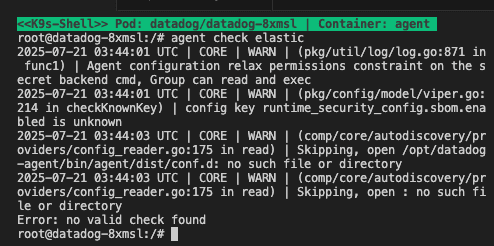 )
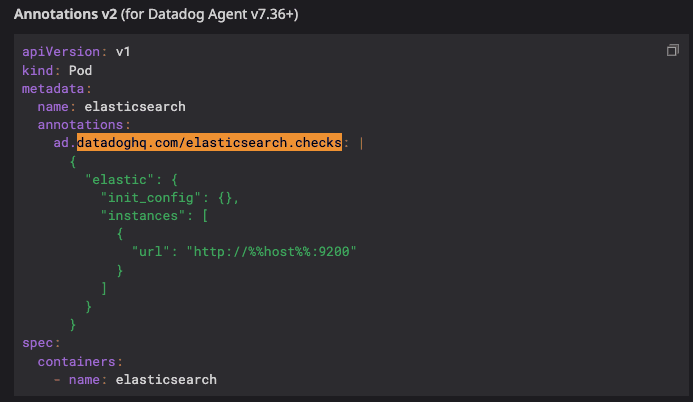
從圖中提到
)
從圖中提到
Skipping, open /opt/datadog-agent/bin/agent/dist/conf.d: no such file or directory故,先確認是否可以從 elasticsearch 服務取得 metrics
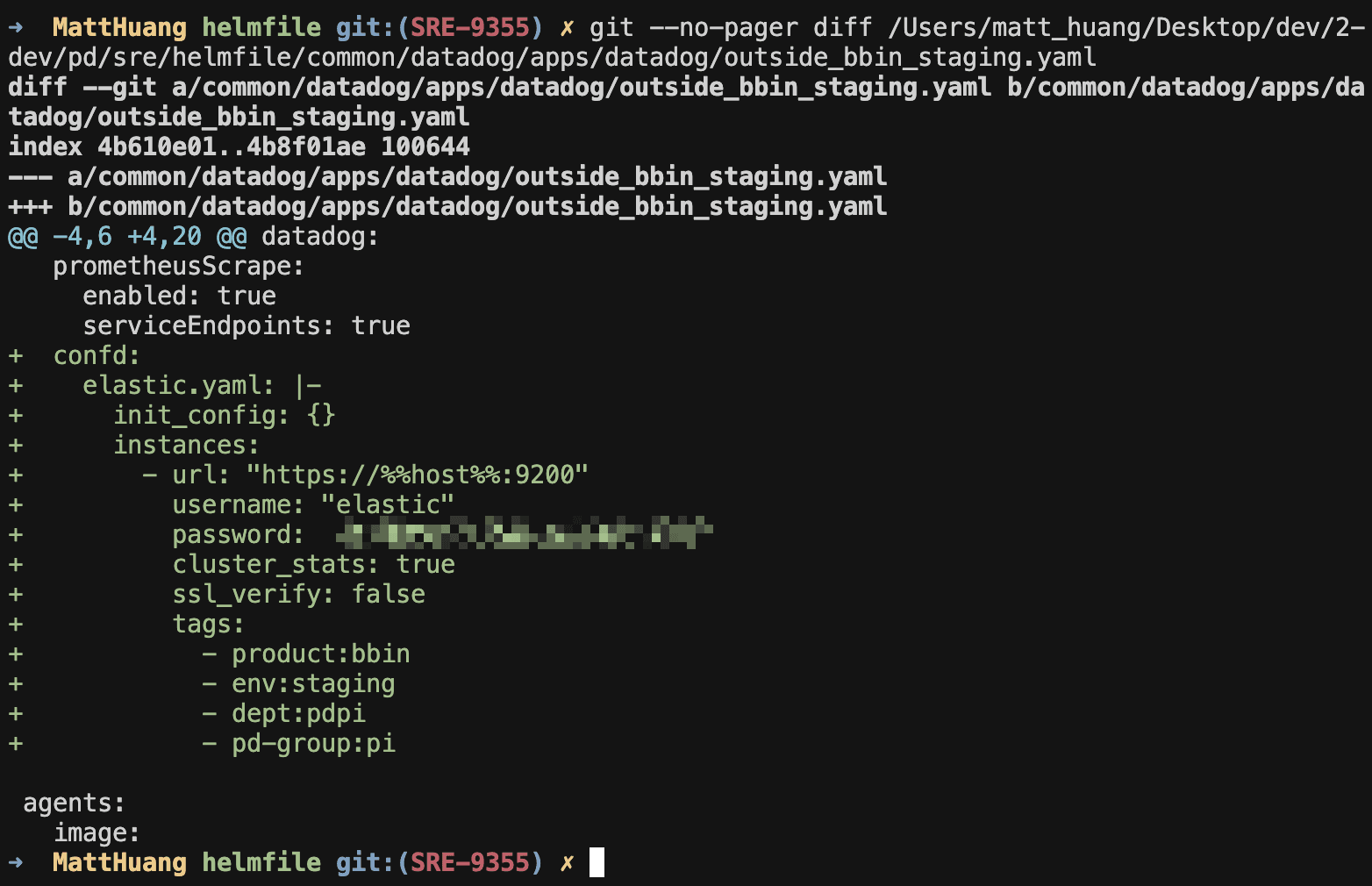
由於服務已加上 datadoghq.checks 的 annotatino 之後,還是無法收到完整的 metrics 後續找到可以在 datadog-agent 上設置相關 config agent-config 參考
datadog:
  confd:
    redisdb.yaml: |-
      ad_identifiers:
        - redis
        - bitnami/redis
      init_config:
      instances:
        - host: "%%host%%"
          port: "%%port%%"
    jmx.yaml: |-
      ad_identifiers:
        - openjdk
      instance_config:
      instances:
        - host: "%%host%%"
          port: "%%port_0%%"
    redisdb.yaml: |-
      init_config:
      instances:
        - host: "outside-k8s.example.com"
          port: 6379
故嘗試在對應的 datadog 加上
相關 eck-stack 的 metrics 取得 參考